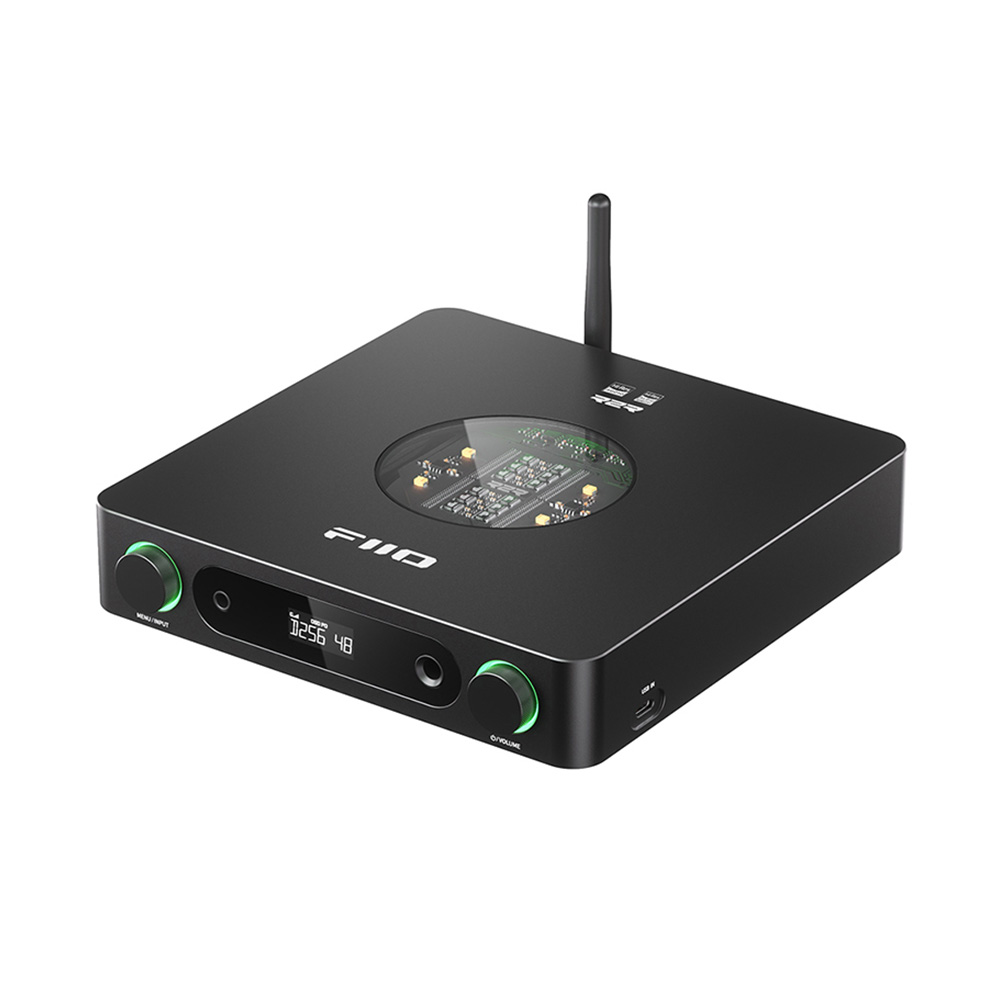
The FiiO K13 R2R combines resistor-ladder digital conversion with a desktop headphone amplifier and several source inputs. That architecture attracts interest, but the more useful buying case is its connection flexibility and control options. R2R should be treated as an engineering choice, not automatic evidence of a warmer or more natural sound.
FiiO K13 R2R — OS and NOS are choices to understand
FiiO documents oversampling and non-oversampling modes alongside its developed R2R conversion system. These settings affect the digital-conversion process, but their names do not establish which will sound preferable with every recording or headphone. We have not measured their response or compared them by listening.
Use matched levels and familiar material when exploring modes. A change in volume or EQ can easily dominate an informal comparison. If the goal is accurate system matching, establish a reliable basic setup before repeatedly switching processing options in search of an undefined improvement.
Several digital sources can share one desktop hub
The specification lists USB, coaxial, optical and Bluetooth receiving modes. Bluetooth 5.4 is documented with SBC, AAC and LDAC. LDAC still requires a compatible transmitting device, so a source that does not support it cannot be upgraded simply by connecting to this receiver.
USB format support is listed up to 32-bit/384 kHz and DSD256 with PEQ off. Other inputs and processing configurations have their own limits. Do not transfer the largest USB figure to optical, Bluetooth or every EQ mode. Choose settings that the actual source and operating mode support.
Read the headphone output figure completely
FiiO lists 6.35 mm and balanced 4.4 mm headphone outputs, plus RCA and XLR line outputs. The published 2400 mW per-channel balanced figure is tied to a 32-ohm load, high-gain operating conditions and a stated distortion limit. It is not a universal output available into every headphone impedance.
Match headphones using sensitivity and required voltage or current as well as impedance. Start with low gain and a low volume, particularly with sensitive earphones. A more powerful output is useful when headroom is actually needed; it is not automatically quieter or better suited to every load.
EQ, line output and ownership
PEQ, an included infrared remote and local controls give several ways to use the K13 R2R. EQ can address a clear preference or measured issue, but large boosts consume headroom. Keep a reference setting and reduce overall level where needed rather than assuming processing is free of trade-offs.
Line outputs are intended for suitable line-level equipment, not passive speakers. Check the selected output mode and volume behaviour before connecting a power amplifier or active monitors. Headphone and speaker listening may need different gain and level arrangements even when they share the same source.
The unit has no battery and weighs about 980 g. It belongs in a powered desk setup rather than a portable phone chain. Compare the full connection need with a simpler DAC/amp before paying for unused inputs. We have not measured noise, distortion or sound, so the practical feature set is the basis of this assessment.
What to expect in a real setup
Does R2R guarantee a warm sound? No. Conversion architecture alone does not establish the complete analogue response or a listener’s preference. Measurements and a controlled audition are more informative.
Is the 2400 mW figure available into every headphone? No. FiiO specifies load, gain and distortion conditions. Output changes with impedance and operating mode.
An R2R desktop should still have a practical baseline
The K13 R2R offers several ways to explore a recording, but the first task is reliable playback through one chosen headphone. Begin with a known input, conservative gain and processing disabled or set to a documented neutral state. Save that arrangement before trying OS, NOS or EQ changes. Compare one variable at a time with the same recording and similar perceived volume. A processing preference can be useful without establishing that one architecture or mode is universally more musical.
Do not confuse the K13 R2R with another model in FiiO’s growing desktop range. Connection sets, line-output facilities and processing limits differ across products even when their names contain R2R. Check the exact model in the manual and on the seller’s order confirmation. A demonstration of a different unit is not proof that the K13 supports the same source route or control function. This is particularly relevant when comparing it with the smaller K11 R2R or a more expensive multifunction desktop device.
Use the extra connections with a clear purpose
Several sources can share the unit, but each needs its own compatibility check. A computer’s USB audio, a digital transport and a Bluetooth phone do not necessarily offer the same formats or processing path. Verify the input actually used and the conditions under which EQ remains available. Maximum decoding support with a feature disabled should not become an assumption about operation with that feature enabled. Stable ordinary playback is more valuable than repeatedly changing settings to display a higher rate.
For headphones, the balanced power claim should be read with its load, gain and distortion conditions. Start with the cable and output that safely match the existing headphone. A balanced socket does not justify adapting a shared-return plug to it, and more available power does not improve every sensitive earphone. Usable volume steps, a comfortable quiet setting and enough headroom for the chosen pair are the practical targets.
The line outputs make a speaker installation possible with appropriate powered speakers or a separate amplifier. Establish the level-control arrangement before playback and check output selection when moving back to headphones. Include cable access, ventilation and shelf space in the purchase decision. The K13 R2R is easier to justify when its input flexibility and processing choices are used regularly. If the system needs only one USB route and no EQ experimentation, a simpler unit can be a better allocation of the same budget.
Alternatives to consider
FiiO K11 R2R: Compare the simpler R2R desktop option if the larger model’s connection and control additions are unnecessary.
FiiO K7: A different FiiO DAC/amp architecture to investigate with the same headphones and level-matched listening rather than assumptions about conversion type.
FiiO K13 R2R key specifications
- Conversion
- FiiO-developed R2R DAC
- Digital inputs
- USB, coaxial, optical, Bluetooth
- Bluetooth
- 5.4; SBC, AAC, LDAC
- USB maximum, PEQ off
- 32-bit/384 kHz PCM; DSD256
- Headphone outputs
- 6.35 mm and balanced 4.4 mm
- Line outputs
- RCA and XLR
- Balanced power claim
- At least 2400 mW/channel at 32 ohms, THD+N <1%, specified high-gain mode
- Modes
- OS / NOS; PEQ supported
- Weight / battery
- About 980 g; no battery
Verdict
The K13 R2R is interesting as a flexible desktop control point, not just an R2R badge. Confirm the required input, processing mode and headphone headroom, then compare at matched levels. Its feature set can justify a shortlist without claiming untested sonic character.
Primary documentation
Specifications and feature descriptions were checked against the following official documents on 6 November 2026. Compatibility advice is our interpretation of those documented capabilities; it does not establish measured sound quality. Regional bundles, software features and service availability can change, so verify the exact European model and current support information before purchase.
Editorial record
Sources and updates
Product specifications and factual claims were checked against Official FiiO K13 R2R product page ↗. Scores and buying advice follow our category-specific editorial methodology.
- Published
- November 7, 2026
- Last updated
- November 8, 2026