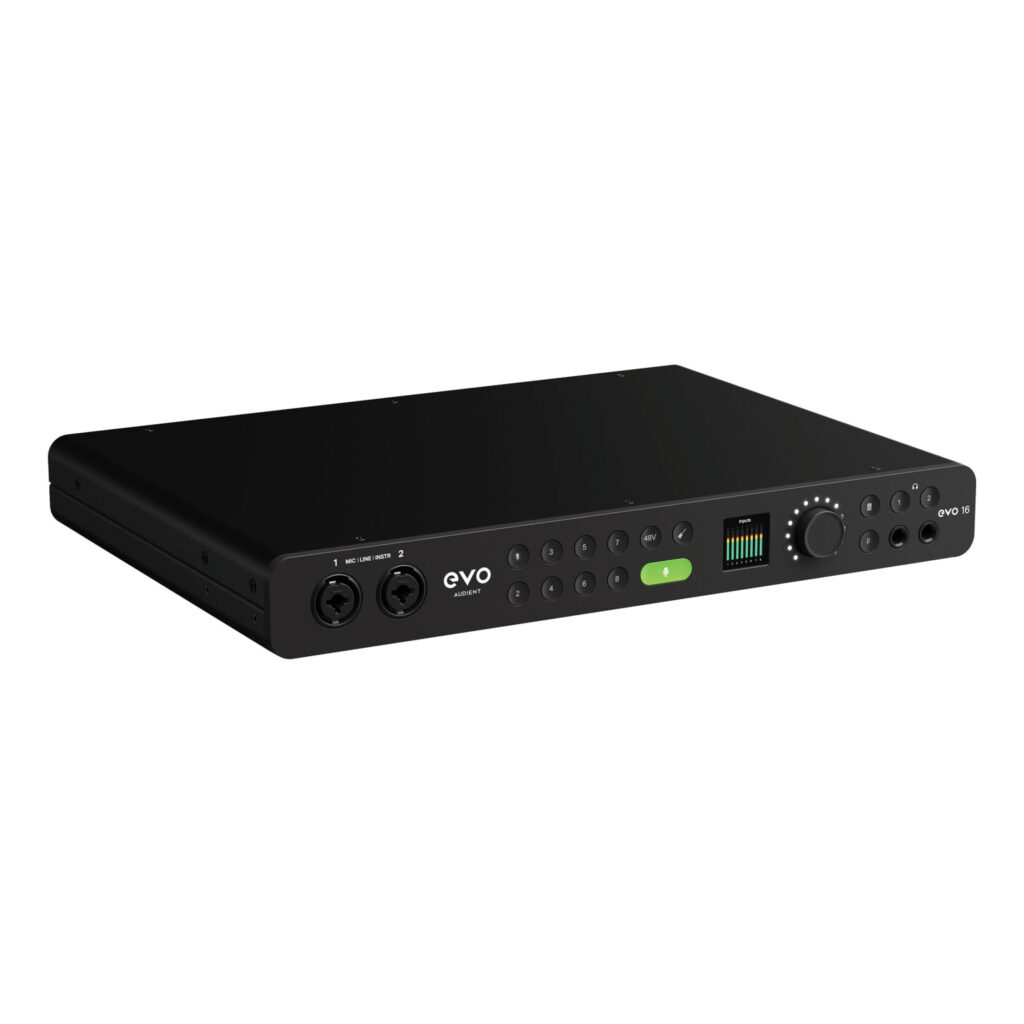
Audient EVO 16 makes multi-microphone recording more approachable through digitally controlled preamps, Smartgain and a clear central interface. It is still a substantial recording system rather than a small bus-powered box. The headline twenty-four-channel capability also includes digital expansion at base sample rates, not twenty-four microphone sockets on the unit. Understanding those distinctions is essential to deciding whether its impressive flexibility will actually simplify your studio.
Research-based review. This assessment draws on manufacturer documentation and the original independent evaluations linked below. Audio Review has not performed a hands-on test of this model.
Eight preamps and an honest channel count
The unit contains eight microphone preamps, eight line outputs and two headphone outputs. Its higher total I/O count depends on the optical connections and compatible external hardware. Buying the interface alone does not add the microphones, preamps, converters and cables needed to populate all digital channels.
The optical channel count also changes with sample rate. Sound On Sound’s original review explains the reduced ADAT capacity at higher rates. Plan the session at the rate you genuinely need rather than assuming the largest input count remains available in every configuration. A drum recording, several live instruments and multiple cue mixes require a connection plan before the session, not just confidence that twenty-four is a large number.
Smartgain and repeatable level setting
Smartgain can analyse representative incoming signals and set several preamp gains together. That is particularly useful when one person is both performing and engineering. Digital gain control also makes matched stereo channels and repeatable settings easier to manage than relying on approximate positions of several analogue knobs.
It is still important to give the system a representative performance. A very quiet rehearsal followed by a much louder take can defeat any initial gain decision. Watch the meters during the real session and understand how to adjust a channel manually. Smartgain is a practical assistant for setting levels, not a replacement for microphone placement, performer consistency or checking that a cable and input are actually carrying the intended source.
Sound quality and the original evaluation
Sound On Sound’s review is positive about the breadth of facilities and finds the recording specifications strong for the intended market, while noting practical interface details and analogue-level limits. This supports the EVO 16 as a serious value-focused recording platform. It does not justify treating every published converter figure as a measurement made by Audio Review.
For a real studio, source quality and gain structure remain decisive. Check the levels accepted by any external equipment and leave headroom rather than operating every stage close to its maximum. A quiet interface cannot correct a poor room or microphone position. The useful achievement is reliable capture and monitoring that lets you identify those problems, with enough channels to record the performance you planned.
Motion UI and the monitoring workflow
The central display and encoder change the way adjustments are made compared with an interface that gives every function a dedicated knob. Channel selection and contextual feedback can keep the front panel tidy, but the workflow needs to suit you. Try changing an input, headphone level and monitor function before deciding that a minimal panel is automatically simpler.
The software mixer provides cue and routing flexibility, while the assignable function button can make a frequently used monitor action accessible. Set up a small number of clearly named mixes and verify who hears which output. This is especially valuable when several musicians are involved. An organised cue arrangement can save more time than a small numerical difference in a converter specification.
Digital expansion, clocking and talkback
Two optical input/output pairs support expansion, with the selected ADAT or S/PDIF mode determining the connection role. External devices need compatible format, sample rate and clocking. A matching cable plug is not enough if one device is sending the wrong format or both are waiting for the other to provide timing.
The word-clock output adds an option for appropriate equipment, but the entire clock arrangement still needs to be deliberate. Talkback is configurable through a suitable source; the EVO 16 does not contain a built-in talkback microphone. If you want to preserve all recording preamps, check the documented external-source route. Count these supporting requirements when budgeting for a larger session rather than assuming every studio convenience is already contained inside the interface.
Power, placement and complete-system value
EVO 16 is mains powered with an internal supply, so it should not be bought on the assumption that a laptop USB port will run the whole unit. Plan the power and cable layout for desktop or rack use. Rack hardware and accessories should be checked in the exact package rather than assumed from the cabinet shape.
Its value is strongest when several built-in preamps, cue flexibility and later digital expansion will be used. For a single microphone and occasional guitar, a smaller interface can be easier and cheaper. For a larger studio, include external preamps, monitoring distribution and the software workflow in the total comparison. The right system is the one that reliably supports the intended session, not the one that advertises the most channels without the equipment needed to access them.
Alternatives to consider
Audient iD14 MKII: The iD14 MKII is a smaller desktop approach for fewer microphones and a different control routine. Compare the sources you need immediately and the cost of any later expansion, rather than assuming every Audient interface serves the same session size.
MOTU M4: The M4 is relevant when a much smaller microphone count and immediate physical operation are enough. It does not replace the EVO 16’s expanded I/O role, but can be a simpler and more economical answer for a solo desk.
Audient EVO 16 key specifications
- Computer connection
- USB-C
- Analogue microphone inputs
- Eight
- Instrument inputs
- Two front-panel JFET Hi-Z inputs
- Preamplifier control
- Digital gain; Smartgain assistance
- Analogue line outputs
- Eight
- Headphone outputs
- Two with independent control
- Optical connections
- Two input/output pairs; ADAT or S/PDIF as configured
- Maximum I/O
- Up to 24 in / 24 out at base sample rates
- Higher-rate expansion
- ADAT channel count reduces at 88.2/96 kHz
- Clocking
- Word-clock output
- Power
- Mains powered with internal PSU; not bus-powered
- Monitoring
- Software cue mixer; assignable monitor functions
- Talkback
- Configurable external source; no built-in microphone
Verdict
EVO 16 offers a persuasive combination of eight preamps, digital gain assistance and expandable routing for a recording setup that has outgrown a basic desktop interface. Its original independent evaluation provides a sound basis for taking the product seriously, while Smartgain can be particularly useful for self-recording musicians.
Choose it with a clear plan for sample rate, optical expansion, cue mixes and mains power. The maximum I/O count is conditional, and talkback still needs a suitable source. Compare a smaller iD14 MKII or M4 if the session does not need the EVO’s scale. When the broader facilities are genuinely useful, the EVO 16 can simplify a multi-microphone studio without pretending that the supporting hardware and setup decisions disappear.
Primary documentation and independent reviews
Audient official EVO 16 product information · Sound On Sound original EVO 16 review · MusicTech original EVO 16 review
Editorial record
Sources and updates
Product specifications and factual claims were checked against Official Audient EVO 16 product page ↗. Scores and buying advice follow our category-specific editorial methodology.
- Published
- November 17, 2026
- Last updated
- November 17, 2026