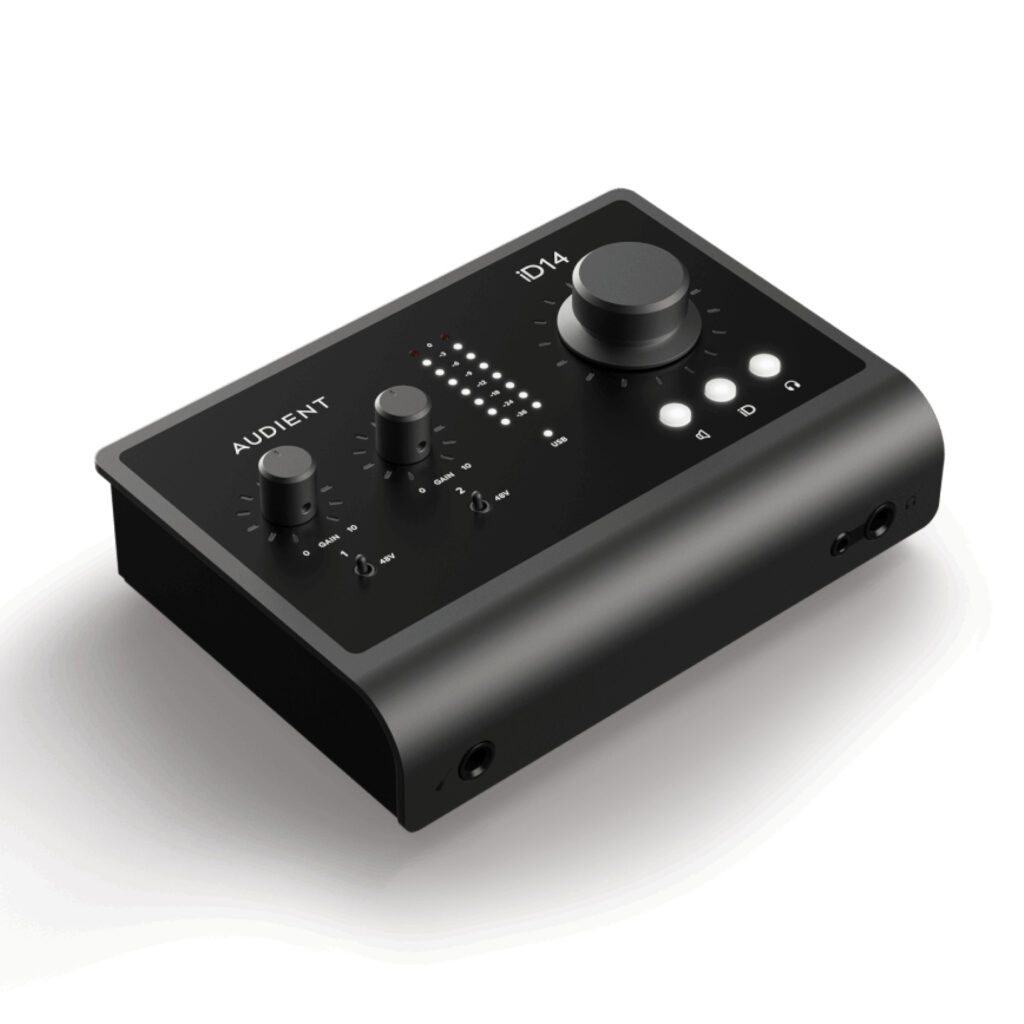
The Audient iD14 MKII combines a small two-preamp recording interface with optical input expansion and a flexible output arrangement. Its advertised ten-input count needs interpretation: most of those inputs are digital expansion channels rather than additional microphone sockets. That makes it a useful growth platform when the expansion plan is specific.
Audient iD14 MKII — Two preamps now, digital expansion later
Audient documents two analogue input channels and up to eight additional ADAT channels at 44.1 or 48 kHz. The optical input can also accept two-channel S/PDIF. The advertised maximum ten hardware inputs therefore requires an appropriate external digital source, not just another microphone cable.
At 88.2 or 96 kHz, ADAT uses SMUX and offers up to four channels. That reduction matters when planning a drum or multi-instrument session. Decide how many simultaneous microphones are needed at the chosen session rate before buying an expansion unit or assuming that ten channels remain available in every mode.
The output arrangement supports several workflows
The specification lists four line-output channels and a two-channel headphone path, for six hardware outputs. Those can support a main monitor setup and additional routing where the software configuration permits. The two physical headphone sockets should not be counted as two unrelated stereo mixes simply because two plugs fit.
Plan monitor and cue routing in the iD software before recording. Keep a known main-monitor path and avoid accidental feedback between loopback, software monitoring and external connections. A flexible interface becomes easier to use when the routing is documented rather than rediscovered at each session.
Power and gain need realistic matching
The MKII documentation specifies 58 dB of microphone gain. That should not be confused with a newer product-page revision or a different iD model. The microphone’s sensitivity, speaker distance and recording level determine whether more gain is needed; turning a gain knob near its end is not by itself a fault.
Audient specifies a minimum bus-power requirement of 0.9 A at 5 V from USB 3.0 or better, with additional available power via USB-C improving headphone headroom. Connector shape alone does not establish a port’s power capability. Check the actual computer or hub and use a suitable cable before troubleshooting unstable operation.
Latency and loopback require the right interpretation
The documentation distinguishes low-latency internal mixer operation from the full computer round trip. A small mixer-latency number should not be quoted as the delay through a DAW, plug-ins, USB transfer and back to headphones. Buffer size and host performance still matter for software instruments and amp simulations.
Loopback adds a virtual stereo host input and is not part of the advertised ten hardware inputs. It is useful for capturing computer audio, but routing must avoid feeding the return into itself. Test the intended streaming or lesson application before a live session.
For value, include any external ADAT preamp and the required cables in the expansion budget. We have not measured converter performance, preamp noise or headphone output. The documented strengths are channel flexibility and monitor control, while actual recording and latency behaviour depend on the whole setup.
What to expect in a real setup
Are there ten microphone preamps? No. The maximum includes two analogue channels plus up to eight ADAT channels from external hardware at the appropriate sample rates.
Is mixer latency the same as DAW round-trip latency? No. Computer buffering, conversion, USB transfer and software processing add their own delay. Compare figures only when the measurement path is the same.
Alternatives to consider
Audient EVO 4: Compare the simpler Audient route if two local recording channels are enough and optical expansion is unnecessary.
Focusrite Scarlett 4i4 4th Gen: A relevant alternative when additional local line inputs and a different routing workflow matter more than ADAT expansion.
Choosing an expansion path before buying
For a two-microphone acoustic session, the iD14 MKII can be used without any optical hardware. If the next step is recording a drum kit, make a channel list now: kick, snare, overheads and any additional microphones quickly reveal the required preamp count. Then choose a compatible external preamp and converter for the intended session rate. This makes the expansion claim a costed studio plan rather than an assumption that a cheap optical cable creates eight more microphone inputs.
Include clocking and physical placement in the plan. The external unit needs power, microphone leads and a place near the sources; the optical connection must reach the interface without awkward cable strain. Check how the recording application names the digital channels and save a template once each is verified. A single recognisable test signal on every intended input is more useful than discovering a missing channel during a performance.
Monitoring for a performer and an engineer
Start with the mix each person needs rather than the number of available sockets. A singer may require more vocal and less backing track, while the engineer needs a balanced reference. Establish the desired routes in the iD software and confirm which output is being adjusted before raising levels. The two headphone connectors serve the documented headphone path; plugging in a second pair should not be mistaken for creating another independently routed stereo mix.
Keep an obvious default monitor setup saved before exploring more complicated routes. During troubleshooting, return to that baseline, confirm playback, and add one source at a time. This is particularly valuable when loopback is used for streaming, because hearing a live microphone does not prove that the streaming application receives the same balance.
Where the premium makes sense
The strongest case for the iD14 MKII is a small studio that wants compact controls now and has a clear reason to add digital inputs later. A musician who needs several permanently connected local line sources may prefer a different input layout. A producer who will never use optical expansion should weigh the monitor controls and daily ergonomics against simpler alternatives. Buy for the recurring recording task, while allowing enough budget for the external hardware that makes the larger channel count possible.
Audient iD14 MKII key specifications
- Analogue input channels
- 2
- Maximum hardware inputs
- 10 at 44.1 / 48 kHz with ADAT
- ADAT at 88.2 / 96 kHz
- Up to 4 channels via SMUX
- Optical S/PDIF
- 2 channels, 44.1–96 kHz
- Line-output channels
- 4
- Headphone-output channels
- 2
- Microphone gain range
- 58 dB, MKII documentation
- Loopback
- Additional virtual stereo host input
- Minimum bus power
- 0.9 A at 5 V, USB 3.0 or better
Verdict
The iD14 MKII is a sensible choice when its expansion and output arrangement match a real studio plan. Confirm computer power, current drivers and the chosen session rate before ordering. Its specification supports a flexible workflow, but does not replace testing with the actual DAW and microphones.
Primary documentation
Specifications and feature descriptions were checked against the following official documents on 6 November 2026. Compatibility advice is our interpretation of those documented capabilities; it does not establish measured sound quality. Regional bundles, software features and service availability can change, so verify the exact European model and current support information before purchase.
Editorial record
Sources and updates
Product specifications and factual claims were checked against Official Audient iD14 MKII product page ↗. Scores and buying advice follow our category-specific editorial methodology.
- Published
- November 7, 2026
- Last updated
- November 8, 2026