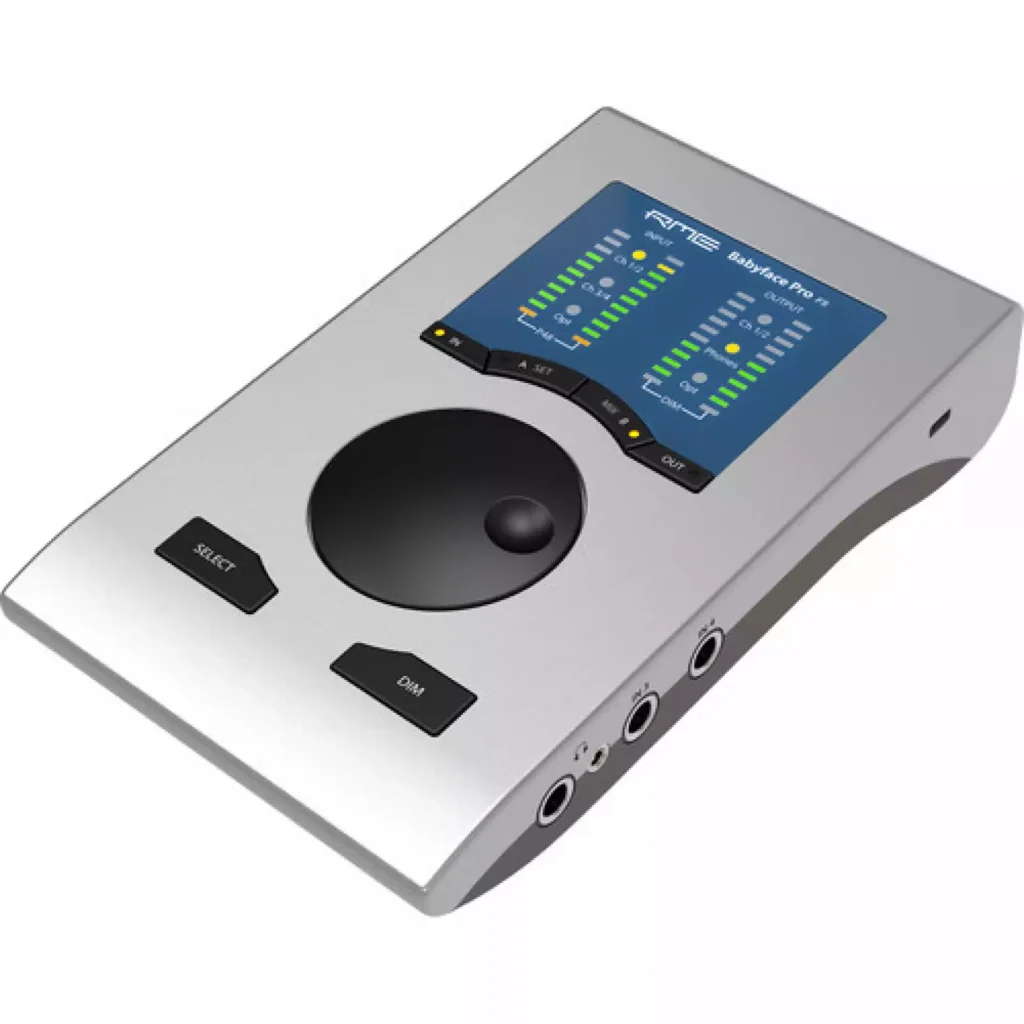
The RME Babyface Pro FS is a compact interface built around a more elaborate routing and digital-I/O role than a basic two-preamp box. Its appeal is not simply a premium enclosure or converter specification. It is the combination of portable hardware, optical expansion and TotalMix control for users who will learn and use those facilities.
RME Babyface Pro FS — Count analogue and digital channels separately
RME documents analogue microphone and line/instrument inputs alongside optical digital I/O. The maximum channel count includes digital expansion, not a large bank of local microphone sockets. Check the intended ADAT or S/PDIF configuration and sample rate before planning a session.
Optical channel availability changes with the selected format and rate. Adding an external digital preamp also requires a correct clocking arrangement. A cable that fits does not establish that the two devices use the same format or synchronise correctly. Plan the complete connection before relying on expansion for a recording date.
Headphone sockets are not separate cue buses
The product has quarter-inch and mini-jack headphone sockets with different output-stage characteristics, described by RME as parallel connections. They should not be counted as two unrelated stereo software-output pairs. Check the manual’s routing and load guidance for the actual headphones.
RME specifies a lower output impedance for the 3.5 mm connection, which is relevant when considering sensitive earphones. That specification alone does not establish perceived noise or perfect compatibility with every IEM. We have not measured either output, so auditioning the intended headphones remains useful.
TotalMix rewards a deliberate setup
TotalMix provides flexible monitoring and routing, which can be valuable for performers, multiple destinations and digital sources. Flexibility also creates opportunities for confusion. Save a known working snapshot and label the important inputs and outputs before a session.
Direct hardware monitoring and DAW monitoring are different signal paths. Avoid accidentally hearing both at once, which can produce comb-filtering or a delayed double signal. Software instruments and plug-in monitoring still depend on the computer, buffer and processing load; no interface makes an overloaded session latency-free.
Computer support and long-term value
RME identifies USB 2.0 bus-powered operation, with host and power conditions to be checked in current documentation. Download current drivers from the manufacturer and verify support for the exact operating-system version. An older compatibility statement from a shop is not enough for a new computer purchase.
SteadyClock FS is part of the documented design, but clock terminology should not become a vague claim that all music sounds more detailed. Its engineering role needs to be separated from an audible result in a particular analogue listening system. We have not performed clock-immunity or converter measurements.
The premium is easiest to justify when the interface replaces a more awkward routing or portable-recording arrangement. Include any digital preamp, breakout accessories and required cables in the complete cost. If the actual task is one microphone and a pair of monitors, a simpler interface may leave more budget for the microphone, room and monitoring system.
What to expect in a real setup
Do two headphone sockets mean two different performer mixes? No. RME describes the sockets as parallel, with separate output-stage characteristics. Count the routed channels rather than the physical connectors.
Will optical expansion work at every channel count and rate? No. Format and sample rate affect optical capacity, and the connected devices need a valid clocking arrangement. Check both manuals.
Alternatives to consider
Universal Audio Apollo Twin X DUO Gen 2: A different premium workflow to investigate when onboard processing and its software ecosystem are more relevant than the RME routing approach.
Focusrite Scarlett 4i4 4th Gen: A simpler small-studio comparison when local analogue sources and budget matter more than optical expansion.
Turning flexible routing into a reliable session
A useful TotalMix starting point is a small set of clearly named destinations: main speakers, headphones and any digital output actually in use. Build the normal listening route first, then save it before adding special-purpose sends. A snapshot should make the interface easier to recover, not preserve an unexplained collection of muted and raised faders. Write down what a visiting collaborator needs to hear so that the next session does not begin with an improvised routing lesson.
For a location recording, test the same laptop, power arrangement and session file that will travel. Check playback and every input after reconnecting the interface, not just while everything remains plugged in on a studio desk. Carry the required cables and keep a simple fallback session with minimal processing. Portability is valuable when the complete recording system can be assembled predictably in a different room.
Expanding carefully rather than counting sockets
Before adding an optical preamp, decide which sample rate the project needs and how many channels must be captured at once. Confirm that both devices support the chosen digital format and clock arrangement. Then send a test signal to each intended recording track. A successful stereo playback check does not establish that every expanded microphone channel is present or correctly labelled.
The same care applies to headphone use. Select the socket and headphones as a practical pairing, begin with the level down, and assess whether there is enough comfortable range for the actual recording. Different output-stage specifications are relevant engineering information, but they are not a substitute for trying the intended sensitive earphones or demanding full-size headphones.
A purchase for a particular working method
The Babyface Pro FS is easier to justify for someone who will use its routing flexibility, digital connections and portable form together. A simple single-microphone setup may get more immediate benefit from improving the room, microphone support or headphones. Budget both money and learning time: a powerful mixer is most useful when its owner can confidently restore the main monitor route and explain how the recording differs from the headphone feed. That operational clarity is a concrete advantage the buyer can evaluate without inventing a subjective sound comparison.
RME Babyface Pro FS key specifications
- Role
- Portable recording / monitoring interface
- Computer link
- USB 2.0
- Power
- USB bus power, subject to host conditions
- Analogue microphone inputs
- 2
- Additional analogue inputs
- Line / instrument pair
- Digital I/O
- Optical ADAT / S/PDIF
- Maximum sample rate
- 192 kHz, mode-dependent channel limits
- Routing software
- TotalMix FX
- Headphone sockets
- Quarter-inch and 3.5 mm, parallel routing
- Clock system
- SteadyClock FS
Verdict
The Babyface Pro FS makes sense when its compact digital and routing capabilities will be used regularly. Budget time to learn the software and verify host support before relying on it. Its professional feature set is concrete; a claim of superior sound or driver performance would require comparative testing we have not performed.
Primary documentation
Specifications and feature descriptions were checked against the following official documents on 6 November 2026. Compatibility advice is our interpretation of those documented capabilities; it does not establish measured sound quality. Regional bundles, software features and service availability can change, so verify the exact European model and current support information before purchase.
Editorial record
Sources and updates
Product specifications and factual claims were checked against Official RME Babyface Pro FS product page ↗. Scores and buying advice follow our category-specific editorial methodology.
- Published
- November 7, 2026
- Last updated
- November 8, 2026