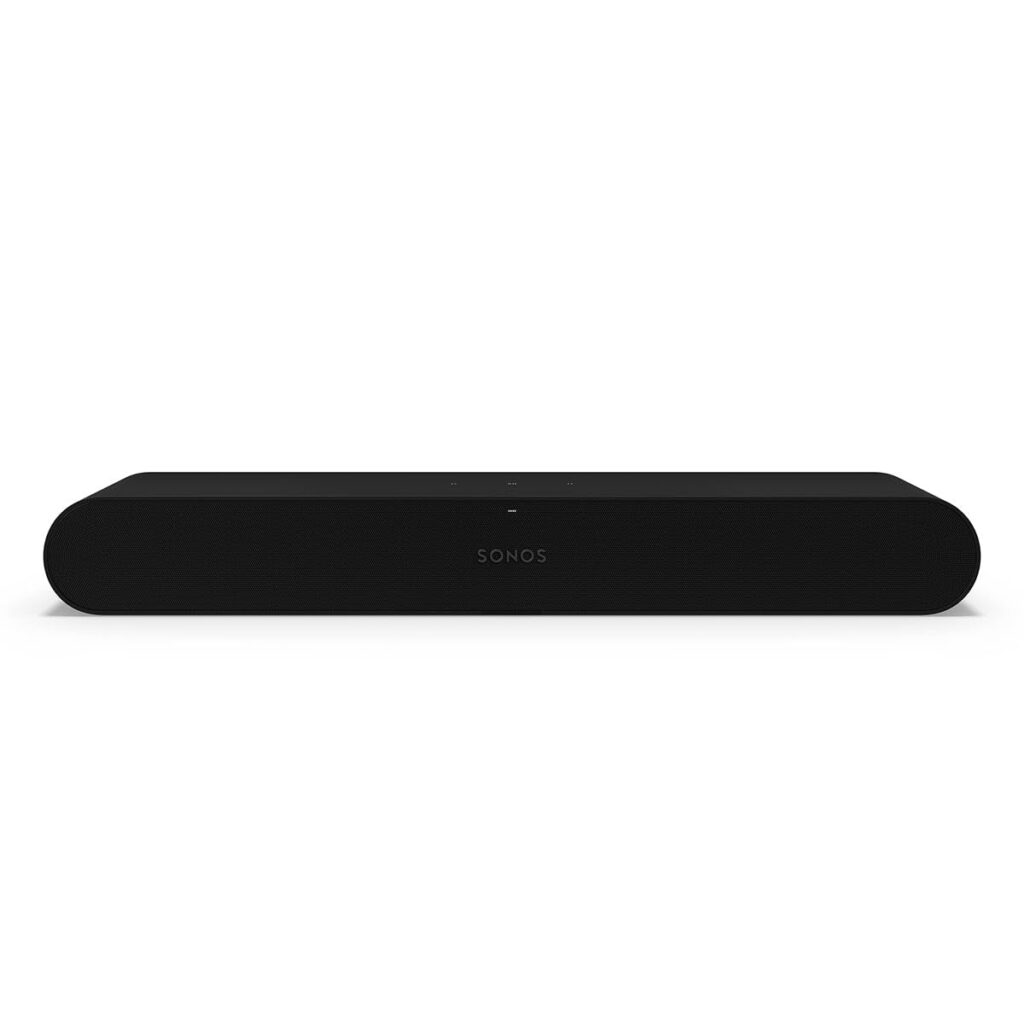
Sonos Ray is a small soundbar with an unusually clear set of priorities: improve television speech, fit into a modest space and also play network music. It uses an optical TV connection rather than HDMI, and it is not an Atmos product. That combination can be sensible for the right television and listener, but it makes compatibility checks more important than the simple size or Sonos name might suggest.
Research-based review. This assessment draws on manufacturer documentation and the original published evaluations linked below. Audio Review has not performed a hands-on test of this model.
Optical compatibility comes before the purchase
The Ray needs an optical digital audio output from the television for its normal TV connection. A spare HDMI socket or a monitor with no audio output does not meet that requirement. External players normally connect to the television, which must then supply a supported signal to the bar.
Inspect the actual television and its audio menu before ordering. Check the output socket, available formats and whether each source you use can pass audio through it. Test broadcast television, built-in streaming applications and any external console or player rather than relying on one successful programme. A correct connection is a complete route from source to bar. If the setup requires extra conversion hardware, include its cost and operational complexity when comparing with an HDMI-equipped alternative. The simplest solution is the one that works reliably for the whole household.
Dialogue is its strongest documented reason to buy
What Hi-Fi’s updated evaluation praises crisp, intelligible speech and a direct presentation. It also notes a relatively narrow soundfield and modest low-bass extension. The review describes a launch-era bass-resonance issue that was substantially alleviated through a firmware update, so repeating only the initial verdict would misrepresent its later assessment.
Audition familiar dialogue at a normal evening level, including a scene with music underneath. Then try a demanding action sequence to decide whether the smaller presentation is an acceptable trade-off. A bar can be a worthwhile improvement in intelligibility without producing the scale of a larger system. The useful question is whether it addresses the problem you actually have with the TV speakers, rather than whether it can imitate a home cinema installation whose size and budget are entirely different.
Remote control is a separate compatibility check
Ray can learn a compatible infrared remote, while the application and touch controls provide other ways to operate it. Without HDMI ARC, it does not obtain the same HDMI-control route used by many competing bars.
Check how your television remote sends volume commands. A remote that communicates with the TV through radio or Bluetooth may need a supported configuration to provide infrared control for another device. Do not assume that successful channel changing proves it can control the bar. During setup, verify volume, mute and ordinary power-on behaviour with the remote the household actually uses. This matters especially for a bedroom or secondary TV, where a small sound upgrade should not introduce a daily need to unlock a phone simply to adjust the volume.
Network music and room tuning
The official documentation includes network music, AirPlay 2 and Trueplay tuning with a supported iOS device. Ray is not a Bluetooth speaker, and the general Sonos application being available on Android does not mean Android provides the same Trueplay measurement route.
Confirm the service and control device you intend to use, and complete setup on the home network before judging convenience. If tuning is available, compare its result from the normal listening position rather than treating a calibration label as proof that placement no longer matters. A network feature is useful only if it fits the way music is selected in the household. Someone who mainly wants occasional Bluetooth playback from visitors’ phones may prefer a different connectivity arrangement, while an existing Sonos owner may place much greater value on keeping control within one system.
Small-bar placement still matters
Ray’s acoustic elements face forward, and the user guide permits use on a TV stand or an appropriate shelf with clearance. It should not obstruct the television’s remote sensor or be squeezed into a location that makes controls and cabling inaccessible.
Measure the available space and check the sightline from the normal seat. Leave a practical route for the optical and power cables rather than forcing tight bends behind furniture. Try dialogue from the places people actually sit, not only the central audition position. A bar chosen partly because it disappears neatly into the room should still remain easy to operate and service. If wall mounting is required, include a suitable mount and installation in the total cost instead of comparing only the soundbar’s ticket price with a larger alternative.
Expansion should be costed as a whole system
Compatible Sonos surrounds and a subwoofer can expand the Ray’s role. That is different from merely grouping music speakers in other rooms, and adding hardware does not change the bar’s optical input into an HDMI or Atmos connection.
Write down the intended final system before buying in stages. If the goal is simply clearer speech, the bar alone may be the most rational stopping point. If the goal is a more substantial cinema system, compare the eventual cost with starting from another bar whose connections better suit that aim. Make sure rear speakers and a subwoofer have sensible locations and power access. The ability to expand is useful, but it is not a reason to purchase additions that the room or listening routine will rarely exploit.
Alternatives to consider
Sonos Beam Gen 2: Beam Gen 2 belongs in the comparison when HDMI connectivity and Atmos support are part of the requirement. Compare the current price difference before building an expanded system around the cheaper starting point.
Sony HT-S2000: HT-S2000 offers another compact all-in-one starting point. Compare the TV connection, dialogue presentation and expansion requirements, particularly if Sonos network multiroom music is unnecessary.
Sonos Ray key specifications
- Design
- Compact all-in-one soundbar
- TV audio input
- Optical digital
- HDMI ARC / eARC
- Neither
- Drivers
- Two midwoofers and two tweeters
- Network
- Wi-Fi and Ethernet
- Music
- Sonos app and Apple AirPlay 2
- Bluetooth input
- No
- Room tuning
- Trueplay with a supported iOS device
- Sound formats
- Stereo PCM, Dolby Digital, DTS Digital Surround
- Atmos
- No
- Remote control
- Compatible infrared remote; app and touch controls
- Weight
- 1.9 kg
Verdict
Ray is most convincing as a compact speech-focused television upgrade that also fits a network music system. The updated original review supports that role while setting realistic limits on bass depth and spatial scale.
Confirm optical audio, supported formats and remote operation first. Then compare the complete price with a Beam Gen 2 or another compact dialogue bar. Choose Ray when its size, intelligibility and network role solve a clear need, and avoid paying for an expansion path before deciding whether its optical-only foundation still suits the intended system.
Documentation and original reviews
Sonos official Ray product, connections and requirements · Sonos Ray user guide and setup instructions · What Hi-Fi original Ray review, updated after firmware changes
Editorial record
Sources and updates
Product specifications and factual claims were checked against Official Sonos Ray product page ↗. Scores and buying advice follow our category-specific editorial methodology.
- Published
- November 17, 2026
- Last updated
- November 17, 2026