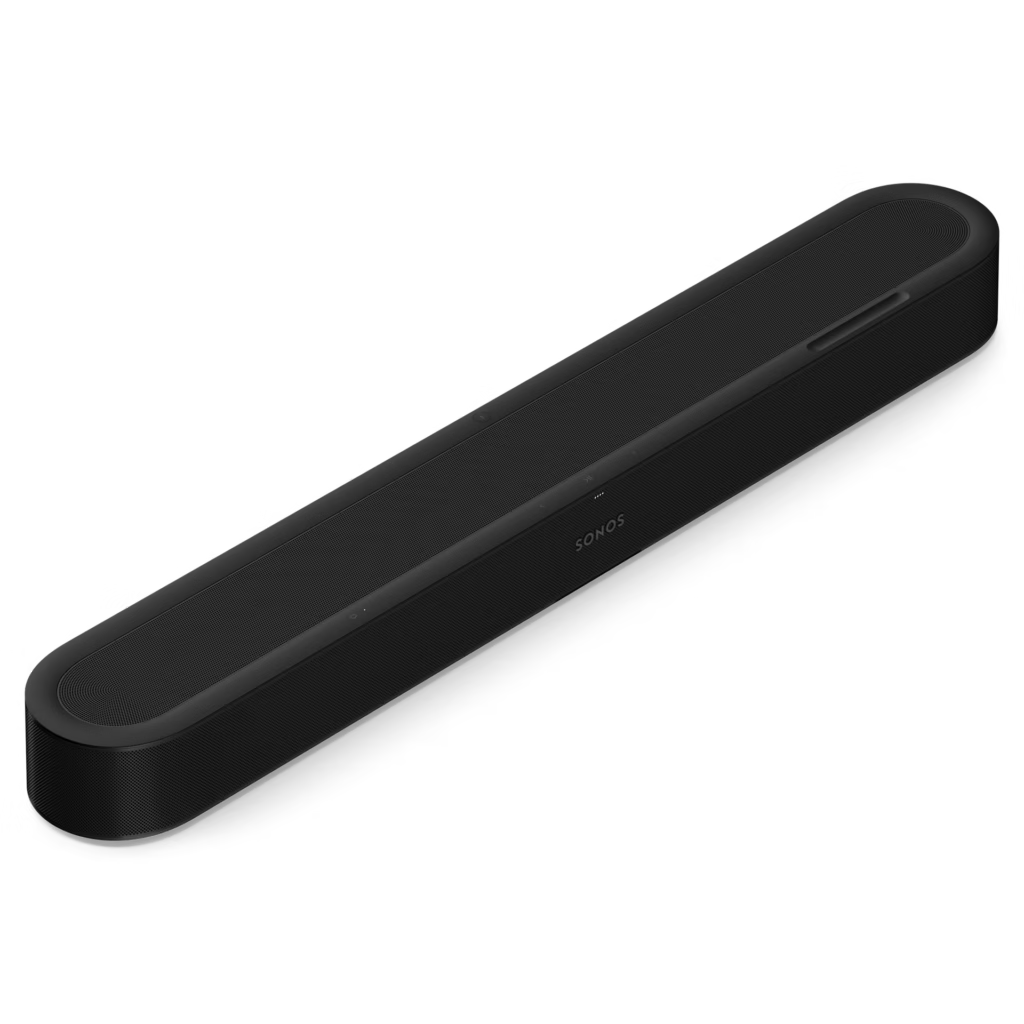
The Sonos Beam Ultra expands the compact Beam idea with documented upward-firing drivers and more connection flexibility. It is still a single soundbar purchase rather than a complete surround package. The most useful buying decision is therefore about the television connection, available space and whether you intend to build a wider Sonos system later.
Sonos Beam Ultra — A compact bar with real placement requirements
Sonos lists nine Class-D amplifiers, five tweeters and four woofers. Two of the tweeters are upward-firing and horn-loaded. That distinguishes the Beam Ultra architecture from assuming that all compact Atmos bars rely on the same virtual-height approach. It does not guarantee convincing overhead effects in every room.
The bar is 750 mm wide, 65 mm high and 105 mm deep, with a listed weight of 2.88 kg. Measure the TV stand and the lower edge of the screen before ordering. Leave the upward-firing area unobstructed where possible; Sonos offers a simulated-overhead setting for obstructed installations, but a shelf directly above the unit still changes the acoustic situation.
The TV connection decides the audio path
Connect to the television’s ARC or eARC port rather than an arbitrary HDMI socket. Sonos lists higher-bandwidth formats such as Dolby TrueHD and multichannel PCM with an eARC requirement. The TV must also pass the relevant signal from the application or connected source. An Atmos logo on one device does not establish the entire chain.
This is not an HDMI source-switching receiver. Plan where consoles and disc players connect, and confirm the television’s pass-through behaviour. Optical connection requires a separately sold adapter and imposes a different set of format limits, so it should not be treated as identical to an eARC setup.
Music inputs and system expansion
Bluetooth 5.3, Wi-Fi 6 and AirPlay 2 are documented. USB-C can provide analogue line input with the Sonos Line-In Adapter, or Ethernet through the appropriate Combo Adapter. Those accessories are sold separately. USB-C should not be assumed to accept every USB audio source directly.
The Sonos app is part of setup and control, and the product lists an internet connection among its requirements. For a household already using Sonos, integration may be a major benefit. For someone wanting a bar that works entirely as an independent analogue appliance, those ownership requirements deserve attention before purchase.
Dialogue tools, calibration and total cost
Trueplay room adjustment is listed for compatible iOS and Android devices, alongside four levels of speech enhancement and Night Sound. These are useful tools to explore at the actual seating position. They cannot repair every poor source mix, and increasing dialogue processing is not automatically preferable for music.
Compatible surrounds and a subwoofer can expand the system, but add cost, placement needs and power requirements. Compare the complete intended configuration with a packaged alternative. We have not measured dialogue intelligibility, bass extension or room correction, so the documented tools support a shortlist rather than a claim that this bar sounds better than larger rivals.
What to expect in a real setup
Can a console connect directly to the Beam Ultra as an HDMI source? Plan to connect sources to the TV. The documented TV connection is ARC/eARC, not a bank of HDMI source inputs.
Is a USB-C line adapter included? Sonos lists the Line-In Adapter and Combo Adapter as separately sold accessories. Check the exact connection and budget before ordering.
Choose the Beam Ultra source route explicitly
The television’s ARC/eARC socket is central to the normal audio path. Map the external sources and verify what the TV passes from each input, because source switching and soundtrack delivery are different tasks. A format supported by the bar cannot be reproduced if the source or display never delivers it through the chosen route. Test the actual console, player and TV apps rather than relying only on a broad immersive-audio claim.
If another input or adapter is needed, check the exact model support and accessory before ordering. A USB-C connector can have different roles across products, and a generic cable is not proof of an audio-input function. Include appropriate adapters and any later compatible components in the complete system price.
A compact front unit still needs open space
The shorter width can suit furniture where a larger bar is awkward, but the drivers still need clear paths. Measure height against the television, leave suitable space around the unit and consider the seating and ceiling geometry. A compact cabinet is not a reason to hide the bar inside a shelf that obstructs its output. Calibration follows placement rather than making every position equivalent.
Compare modes with familiar dialogue, music and effects at similar volume. Keep a default that the household understands, and assess more than one seat if the room is shared. This research has not measured the response or supplied a first-hand height-effect comparison, so the design features should remain a basis for a shortlist rather than a universal performance promise.
A complete Sonos purchase
Decide whether the bar will remain alone or gain compatible subwoofer and surround units. Check exact supported roles instead of assuming every Sonos product can serve any channel. Plan mains access and positions for later additions. A lower starting price may not remain lower once the desired complete system is assembled.
Finally, rehearse ordinary TV playback, music, remote volume and return from standby with the actual devices. A technically successful installation should also be easy for someone who did not set it up. Beam Ultra is strongest when its size, source route and control routine serve the room, with local support and needed accessories included. Buying for an inaccessible ecosystem feature or an unspecified future expansion is a weaker value argument than a clear working plan.
Alternatives to consider
Sonos Beam (Gen 2): Compare the older compact Beam if the current saving is meaningful and its different feature set meets the actual TV setup.
Sonos Arc Ultra: The larger Sonos option is relevant when room size, available width and budget justify a different system scale.
Sonos Beam Ultra key specifications
- Amplifiers
- 9 Class-D
- Tweeters
- 5, including 2 upward-firing
- Woofers
- 4
- TV connection
- HDMI ARC/eARC
- Bluetooth
- 5.3
- Wireless network
- Wi-Fi 6
- Music ecosystem
- Sonos; Apple AirPlay 2
- Dimensions W × H × D
- 750 × 65 × 105 mm
- Weight
- 2.88 kg
- USB-C expansion
- Optional Sonos line-in or Combo adapters
Verdict
The Beam Ultra makes sense as the centre of a compact Sonos television system. Its documented height drivers and connection choices are useful, but the TV, room and expansion budget remain decisive. Confirm the whole signal chain and installation space before choosing it on an Atmos badge alone.
Primary documentation
Specifications and feature descriptions were checked against the following official documents on 6 November 2026. Compatibility advice is our interpretation of those documented capabilities; it does not establish measured sound quality. Regional bundles, software features and service availability can change, so verify the exact European model and current support information before purchase.
Editorial record
Sources and updates
Product specifications and factual claims were checked against Official Sonos Beam Ultra product page ↗. Scores and buying advice follow our category-specific editorial methodology.
- Published
- November 7, 2026
- Last updated
- November 8, 2026